

Updated January, 2026
Manual payroll compliance has a pattern: small gaps become big problems. A missing classification triggers a follow-up loop. A formatting issue means resubmission. A records request turns into an hour of searching across drives, inboxes, and spreadsheets.
When certified payroll reporting or ACA reporting is part of your workflow, those gaps show up faster because the work is deadline-driven and documentation-heavy. Payroll compliance software helps by centralizing the process, standardizing inputs, and surfacing issues before they turn into last-minute fires.
If you want to see what this could look like for your team, jump to the form and start the conversation.
What is Payroll Compliance Software
Payroll compliance software helps teams collect, validate, track, and report payroll data consistently. The main benefit is not more technology, it is a repeatable process. Instead of relying on spreadsheets, email chains, and institutional knowledge, you build a workflow that is visible, auditable, and easier to manage week over week.
Depending on your organization, that can mean different things:
- Building a repeatable workflow for payroll compliance reporting
- Supporting certified payroll reporting for prevailing wage or government-funded work
- Simplifying ACA reporting when variable hour workforces create eligibility complexity
The shift is this: compliance moves from scattered files and personal know-how into a system that supports continuity and reduces dependency on any one person
Where Points North Fits
Points North supports payroll compliance reporting in two areas where manual workflows tend to break down.
- Certified Payroll Reporting helps teams streamline weekly reporting, reduce rework, and keep documentation organized when supporting government-funded or prevailing wage projects.
- ACA Reporter simplifies how you track and report ACA compliance, especially when employee eligibility and measurement periods create complexity across payroll and HR.
If you want to reduce internal effort even further, Points North also offers managed services to support teams that need compliance outcomes without adding workload to internal bandwidth.
5 Ways Payroll Compliance Software Improves Efficiency and Compliance
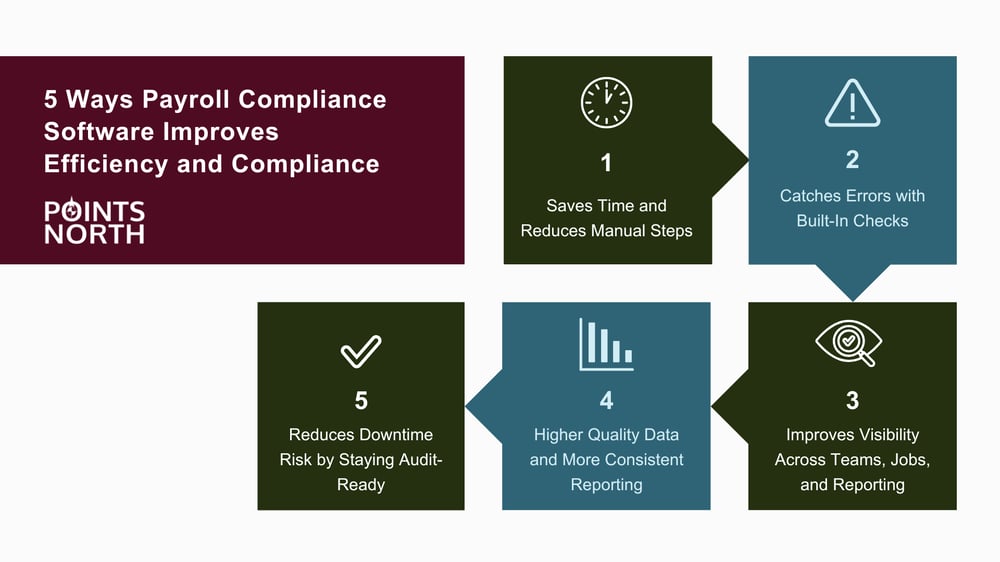
1. Save time by reducing manual steps
Manual payroll compliance multiplies tasks in ways that are easy to underestimate. Teams copy payroll data into spreadsheets, reformat reports to match requirements, chase missing details from supervisors or subs, and then scramble to fix issues when the deadline is already close.
Payroll compliance software reduces that cycle by bringing the process into one online workflow. Data is entered once, stored securely, and reused across reports. Instead of hunting for the latest file or reconciling versions, teams can focus on completing the work and moving it through review.
What this looks like in practice: A payroll admin generates weekly outputs without rebuilding the same format each cycle. A compliance coordinator can see what is incomplete earlier in the week, not the day it is due. A manager has a consistent place to review and approve before submission.
What to look for in software: A centralized dashboard that shows job status and reporting progress, role-based access so the right people can view or edit the right fields, and export options that match how you submit and how you review internally.
2. Catch errors earlier with built-in checks
Most payroll compliance issues are not caused by bad intent. They show up because data is incomplete, inconsistent, or entered differently across teams. Built-in checks help by applying validation rules before reports go out, so issues surface while the work is still in progress, not after submission or during a review scramble.
That might include flagging missing required fields, pay classifications that do not match job requirements, inconsistent hours or rates, or formatting mismatches that trigger resubmission. When errors are identified early, it becomes easier to assign ownership, track progress, and resolve the issue without spending time reconstructing who changed what and when.
What to look for in software: Configurable validation rules aligned to your reporting needs, clear error messaging that tells users exactly what to fix, and an audit trail that documents changes over time.
3. Improve visibility across teams, jobs, and weekly reporting cycles
Payroll compliance rarely sits with one person. Even if payroll owns the reporting task, inputs come from multiple places: HR and onboarding, job and project documentation, supervisor confirmations, subcontractor records, and approvals from managers or compliance leads. When that information lives in separate systems and inboxes, teams work in the dark and spend time coordinating instead of completing.
Payroll compliance software improves visibility by giving everyone the same source of truth. Instead of chasing updates, teams can see reporting status by job and by week, identify what is missing, and keep work moving forward. Over time, shared visibility reduces internal friction because ownership is clearer and handoffs happen faster.
What to look for in software: Job-level reporting views, alerts or notifications for missing inputs, and dashboards that show completion status across projects and reporting periods.
4. Get higher quality data and more consistent reporting
Manual processes are vulnerable to variation. Even strong teams will capture and format information differently when every report is built from scratch. Payroll compliance software improves consistency by standardizing data capture through structured forms and controlled fields. That makes reporting easier, reduces rework, and helps teams build a process they can repeat confidently.
It also improves internal visibility. With clean, structured inputs, you can create summaries that are more reliable than manual roll-ups. That supports internal compliance reviews, operational planning, and leadership reporting on volume, trends, and potential risk areas.
What to look for in software: Standardized forms with required fields, controlled selections where appropriate for consistency, and clean exports for internal review and external submission.
5. Reduce downtime risk by staying audit-ready
When reporting is fragmented, teams spend more time searching than solving. That becomes especially painful when questions come in from project owners, government agencies, internal leadership, or external auditors. If documentation is spread across drives, inboxes, and spreadsheets, pulling a clear history can slow your team down and disrupt ongoing work.
Payroll compliance software helps by retaining documentation in a consistent, searchable way. Instead of scrambling to reconstruct what was submitted and when, you have a reliable archive tied to the job, the reporting period, and the version history. That does not only help in a formal audit—it also supports smoother approvals, faster dispute resolution, and fewer workflow interruptions when something unexpected comes up.
What to look for in software: Long-term document retention, clear linkage between reports and reporting periods, and permissions and security controls appropriate for sensitive payroll data.
The Hidden Cost of Manual Payroll Compliance

When teams evaluate software, they often compare cost to a simple time estimate. But manual payroll compliance has hidden costs that show up beyond payroll.
Rework becomes routine when errors are discovered late. Submissions stall when inputs are missing. Reporting becomes dependent on one person who knows the process. And when a question comes in from a project owner or auditor, the time spent searching for documentation pulls attention away from the work that actually moves your business forward.
For certified payroll reporting, this pain often shows up weekly. For ACA reporting, it shows up in bursts around measurement periods, eligibility reviews, and year-end filing. In both cases, the pattern is predictable—which is why building a repeatable workflow matters.
Features Checklist: What to Look for in a Payroll Compliance Software
Use this checklist to compare options. Not every solution will fit every organization, but the best tools tend to share the same fundamentals.
Workflow and usability
- Clear reporting workflow with status visibility by job and period
- Role-based permissions for payroll, compliance, and management
- Simple review and approval steps that reduce last-minute rush
Accuracy and controls
- Validation rules that catch common issues before submission
- Audit trail for updates and approvals
- Standardized forms that improve consistency across teams
Reporting and outputs
- Report formats that support your submission requirements
- Exports for internal review and recordkeeping
- Ability to create summaries across jobs and time periods
Integration and scalability
- Support for the payroll systems you already use
- Flexibility to handle multiple jobs, locations, or entities
- Configuration options as requirements evolve
Support and adoption
- Onboarding that helps teams adopt quickly
- Training resources for new team members
- Ongoing support when requirements change
Software vs Managed Services: Choosing the Right Approach
Some organizations want to keep payroll compliance reporting fully in-house and simply need better tools. Others are already stretched thin and would rather hand off some or all of the workload to a partner. A hybrid approach is also common, especially when teams want visibility and control but need help during peak periods.
- Software-first is usually a fit when you have internal owners for the process, want more control, and need a cleaner workflow with fewer manual steps.
- Managed services can be a fit when compliance work is consuming too much payroll or HR bandwidth, when reporting volume is high, or when continuity matters and you cannot afford the process to break when roles change.
- A hybrid approach works well when your team wants visibility and control but needs help with the heaviest parts of the workflow, training, or peak reporting periods.
The right choice depends on your reporting volume, internal capacity, and the risk you are trying to reduce.
Implementation Tips: How to Get Value Fast
The fastest path to value is usually a pilot. Start with one or two jobs where reporting is consistent and deadlines are predictable. Use that smaller rollout to refine your inputs, approval workflow, and internal responsibilities before expanding.
Consistency matters just as much as tooling. Define what must be captured each cycle, who owns each input, and when handoffs happen. Then build a simple review checkpoint earlier than the submission deadline so issues can be fixed before they become urgent.
Finally, document ownership so the workflow does not rely on one person's memory. Software should support continuity, not tribal knowledge.
.png?width=1000&height=525&name=Payroll%20Compliance%20Software%20Image%202%20(1).png)
Ready to Reduce Rework and Improve Reporting Confidence?
If your team is spending too much time managing payroll compliance manually, the right mix of software and support can help streamline reporting and reduce risk without adding complexity.
Use the form below to start the conversation. We will help you determine whether Certified Payroll Reporting, ACA Reporter, or managed services support is the best fit based on your workflow and reporting volume.