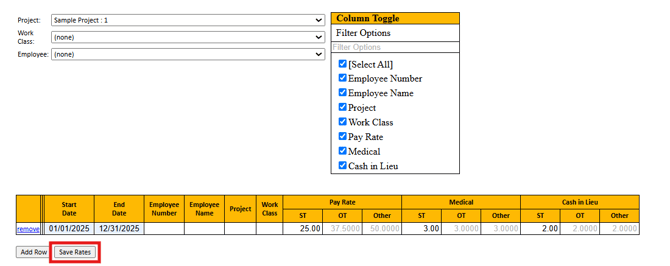
Rate Management is used for the reporting of employees’ prevailing wage rates and any fringe benefits provided by the employer.
Note: Points North cannot provide any guidance on rates or wage determination. Your awarding body or agency may be the best resource to provide additional information. It is your responsibility to ensure rates are correct and up-to-date.
- From the main menu bar, select Pre-Payroll, then Rate Management.

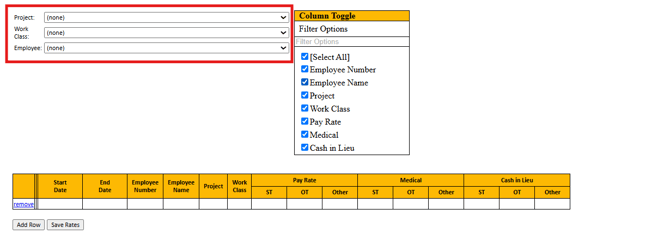
- Assign rates by project, work class, employee, or a combination of the three. When selecting filters, assigned rates can populate on certified payroll reports. In the Project, Work Class, or Employee drop down box, select the filter/filter's for the rate set.
-
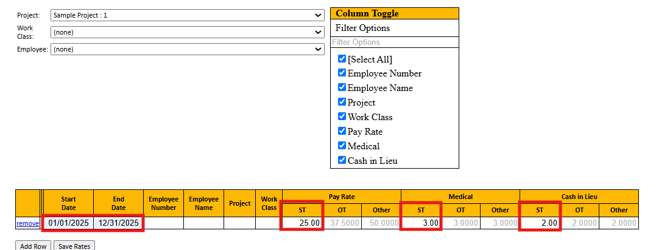
- Enter a Start Date and End Date for the effective rates based off of the wage determination.
- Enter the Straight Rate below Pay Rate of ST
- Enter additional hourly fringe rates
- Enter the Rate values
- Select Save Rates